

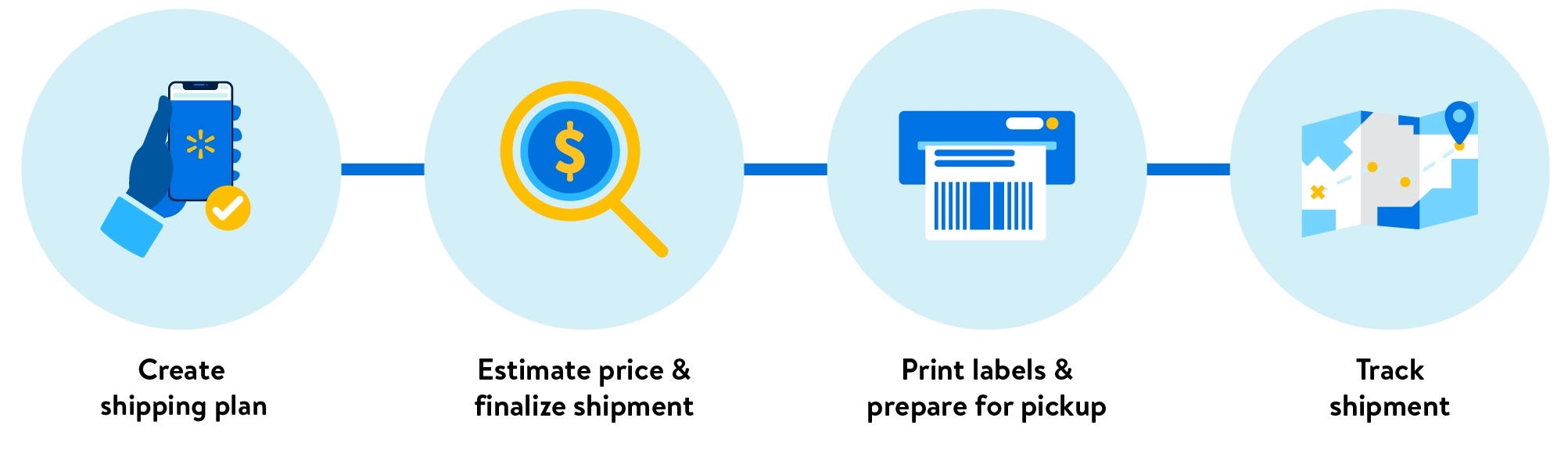
When you use a Walmart preferred carrier, we’ll help you coordinate pickup and delivery of your Walmart Fulfillment Services (WFS) shipment. In this guide, learn how to print labels, confirm the pickup date and get ready for the carrier.
Pickup for parcel
Preferred carriers do not offer scheduled pickups for parcel. You can drop off packages to the nearest FedEx or UPS store at your convenience. Or to arrange a pickup, you can schedule online:
Make sure to print carrier and receiving labels before the carrier takes your packages.
Pickup for LTL and FTL
For full truckload (FTL) shipments, we'll schedule the pickup for you using your preferred pickup date. We’ll email you a confirmed date based on the carrier, your preferences and operating hours.
If the pickup date has passed, but we haven’t heard from your contact person, we may consider the shipment invalid and cancel it. For FTL shipments, you may be charged a no-show fee if the carrier attempted to pick up, but the pickup was unsuccessful.
For less than truckload (LTL), we'll schedule the pickup for you if you're assigned AAA Cooper, Arkansas Best Freight, Central, Estes Express, FedEx, Saia, TForce or XPO.*
*If you're assigned a different carrier, please contact the carrier directly to schedule a pickup.
What if I need to reschedule the pickup?
For some LTL shipments, you can reschedule directly in Seller Center if your carrier is AAA Cooper, Arkansas Best Freight, Central, Estes Express, FedEx, Saia, TForce or XPO. Here's how:
- Go to the Shipping Plans page and find the plan.
- Select View plan.
- In the Carrier pickup section, select Reschedule.
Choose a new date and confirm. This may affect your shipment price.
Once a new pickup is confirmed, the previous pickup and bill of lading will be canceled. Please reprint your bill of lading with an updated load ID. For FTL and all other LTL carriers, please contact the carrier to reschedule. We also recommend contacting the carrier to make sure they canceled the original pickup.
What if I don’t get a pickup confirmation?
If your LTL shipment is assigned to AAA Cooper, Arkansas Best Freight, Central, Estes Express, FedEx, Saia, TForce or XPO, we may have difficulty scheduling a pickup. This may happen due to technical reasons or if the carrier doesn’t have availability close to your preferred pickup date. You’ll need to contact the carrier directly to reschedule.
To schedule a pickup with a preferred carrier:
- Use the following list to contact your assigned carrier.
- Tell the carrier that this is part of a Walmart Fulfillment Services shipment, then provide the load ID. You’ll find this number on your bill of lading.
- Provide the pickup ID. You can find this by searching for the shipping plan, selecting View plan and looking under Carrier pickup in the plan.
LTL carrier contacts
If you’re using email, please contact both the carrier and Walmart Transportation as listed below.
Carrier | Carrier code (SCAC) | Phone | Emails | Pickup request |
|---|---|---|---|---|
AAA Cooper Transportation | AACT | (888) 715-7690 | walmartcsr@aaacooper.com; transinbdecom@walmart.com | |
Arkansas Best Freight | ABFS | (877) 316-2237 | walmart@arcb.com; transinbdecom@walmart.com | |
Averitt Express | AVRT | (800) AVERITT | customerservice@averitt.com; transinbdecom@walmart.com | Login required: https://tools.averitt.com/secure/pickup-request/ltl |
Central Transport | CTII | (800) 423-6872 | walmart@centraltransport.com; transinbdecom@walmart.com | |
Estes Express (TL) | EXLA | (866) 378-3748 | custsrv@estes-express.com; transinbdecom@walmart.com | Login required: https://www.estes-express.com/myestes/pickup-request/login |
FedEx Freight East | FXFE | (866) 393-4585 | track@fedex.com; transinbdecom@walmart.com | |
Old Dominion Freight | ODFL | (800) 235-5569 | customer.service@odfl.com; transinbdecom@walmart.com | https://www.odfl.com/us/en/tools/pickup-shipment/freight-pickup-request.html |
Saia Motor Freight Line | SAIA | (800) 765-7242 | customerservice@saia.com; transinbdecom@walmart.com | |
TForce Freight | OVNT | (800) 333-7400 | customerservice@cs.tforcefreight.com; transinbdecom@walmart.com | |
Ward Trucking | WARD | (800) 458-3625 x71304 | cservice@wardtlc.com; transinbdecom@walmart.com | |
White Arrow | For LTL: WARP | -- | CS@whitearrow.com; transinbdecom@walmart.com | -- |
XPO | CNWY | (800) 755-2728 | ltlccg@xpo.com; transinbdecom@walmart.com | Search service centers by zip code: https://ext-web.ltl-xpo.com/public-app/tools/service-center-locator |
FTL carrier contacts
If you’re using email, please contact both the carrier and Walmart Transportation as listed below.
Carrier | Carrier code (SCAC) | Phone | Emails |
|---|---|---|---|
Allen Lund Company | LUAC | (800) 288-5863 | walmart@allenlund.com; transinbdecom@walmart.com |
Arrive Logistics | ARVY | (888) 861-0650 | walmart@arrivelogistics.com; transinbdecom@walmart.com |
Baylor Trucking | BYLR | (800) 457-9752 | customerservice@baylortrucking.com; transinbdecom@walmart.com |
Barr-Nunn Transportation | BNUN | -- | transinbdecom@walmart.com |
Coyote Logistics | CLLQ | -- | walmart@coyote.com; transinbdecom@walmart.com |
Ease Logistics Services | ELOI | (614) 553-7007 | walmart@easelogistics.com; transinbdecom@walmart.com |
GlobalTranz | GELJ | -- | walmartteam@globaltranz.com; transinbdecom@walmart.com |
Heartland Express | HAEI | -- | Walmart@heartlandexpress.com; transinbdecom@walmart.com |
ITS Logistics | ITSB | (775) 501-3799 | Walmart@its4logistics.com; transinbdecom@walmart.com |
JB Hunt Transport | HJBL | -- | stephanie.rodden@jbhunt.com; transinbdecom@walmart.com |
Knight Transportation Services | KNIG | (602) 606-6522 | wal-martMBX@knighttrans.com; transinbdecom@walmart.com |
Navajo Express | NAVJ | -- | walmart@navajo.com; transinbdecom@walmart.com |
Schneider National Carriers | SCNN | -- | cswalmart1@schneider.com; transinbdecom@walmart.com |
Swift Transportation Services | CRFS | (888) 263-7900 | walmartcsr@swifttrans.com; transinbdecom@walmart.com |
US Express | USXI | -- | Walmart@usxpress.com; transinbdecom@walmart.com |
Wal-Mart Transportation | WALM | -- | transinbdecom@walmart.com |
Werner Enterprises | WENP | -- | wereteam@Werner.com; transinbdecom@walmart.com |
If any carrier is not listed, please email Walmart Transportation at transinbdecom@walmart.com.
Print carrier and receiving labels
Once you have a confirmed pickup date, you’re ready to stage and load the shipment. Make sure to follow the labeling and packing requirements in the .
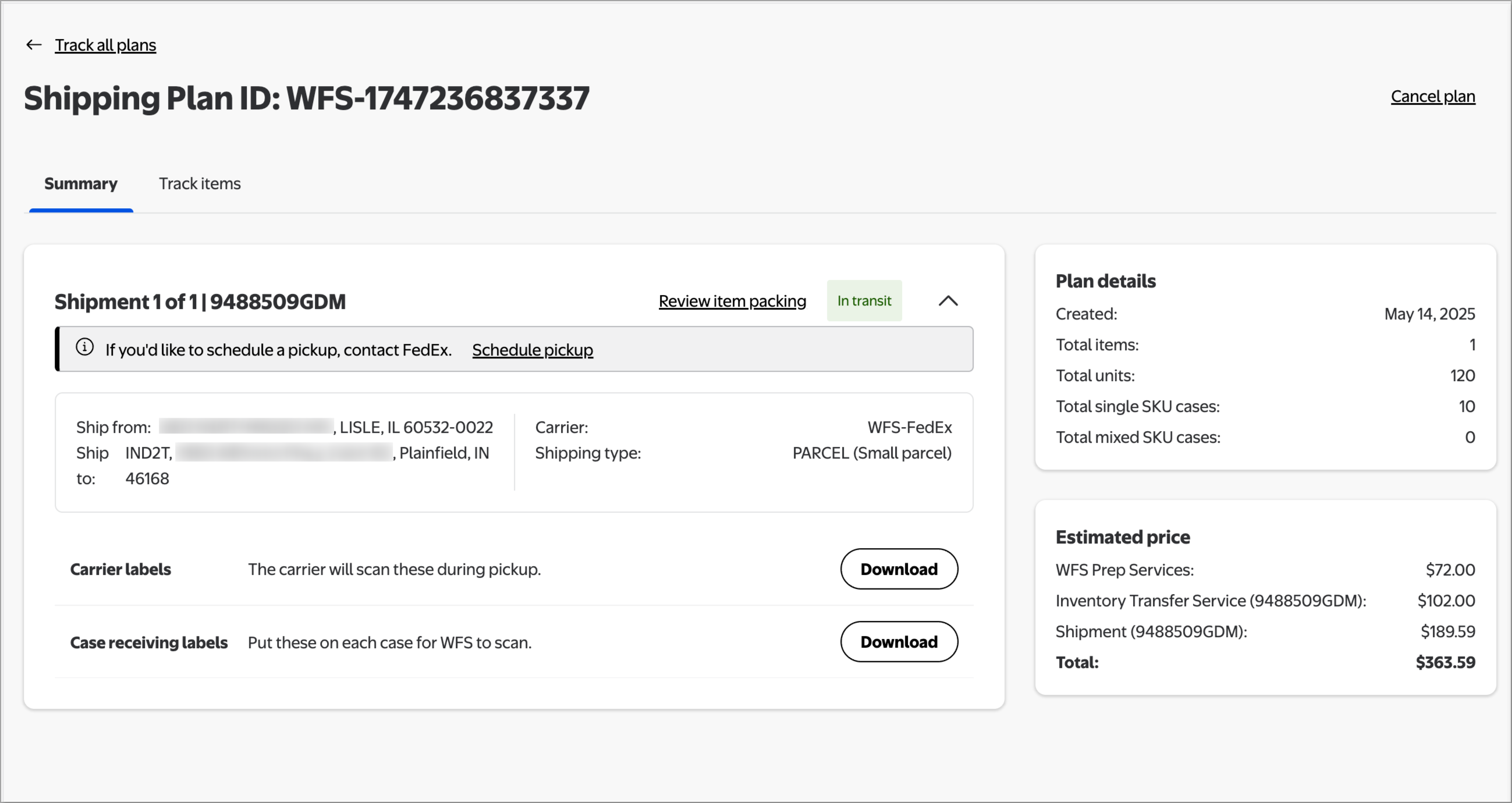
Depending on the type of shipment, you’ll need to print these labels and stick them to each master case or pallet.
- Carrier label: Used by the carrier to deliver to the correct address.
- Receiving label: Used by the fulfillment center to verify the shipment and its contents. Each label has a shipment ID and box/pallet ID.
Here’s how to print labels:
- Go to the page and find your plan.
- Select View plan.
- For each shipment, download the carrier and receiving labels. For the carrier label, enter the confirmed pickup date.
- Print and stick the labels to your cases or pallets.
If you need to print item labels, go to for help.
Print bill of lading
For freight shipments, you’ll also need a bill of lading. This is a list of goods that identifies the shipper, carrier and consignee. Give the bill of lading to the carrier when they get to your warehouse. When they deliver to the fulfillment center, a Walmart associate will sign the bill of lading.
For LTL, the bill of lading will be ready to download in a few minutes. For FTL, it’ll be ready within 24 hours of pickup. We’ll email the bill of lading to you once it’s ready. You can also print it from Seller Center:
- Go to the Shipping Plans page and find your plan.
- Select View plan.
- For each shipment, download the bill of lading.
The information found within this article, and the related hyperlinks, is for general informational purposes only, and is not considered legal advice. This article may contain links to third party content, which Walmart does not warrant, endorse, or assume liability for and your reliance on such content is solely at your own discretion.